In today’s fast-paced digital world, integrating various platforms and services is essential for a seamless user experience. If you’re working with WordPress and looking to connect it with other applications, the WordPress REST API offers a powerful and flexible solution. In this blog post, we’ll explore how the WordPress REST API can be used for custom app integrations, the benefits it brings, and some practical use cases to get you started.
What is the WordPress REST API?
The WordPress REST API is a set of RESTful endpoints provided by WordPress to allow developers to interact with site data using HTTP requests. This means you can create, read, update, and delete (CRUD) content such as posts, pages, users, and more — all without accessing the WordPress admin panel directly.
It supports JSON format, making it easy to communicate with other web apps, mobile apps, or third-party services.
Why Use WordPress REST API for Custom Integrations?
Here are some key reasons to use the WordPress REST API for custom app integrations:
1. Platform Independence
You can connect WordPress with any app built in React, Angular, Vue, Flutter, or even native mobile applications (Android/iOS).
2. Real-time Data Access
Retrieve or send data in real-time between your WordPress site and external systems without needing manual intervention.
3. Headless WordPress Applications
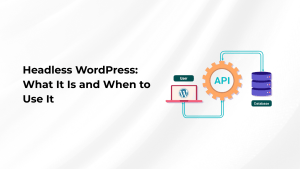
Use WordPress purely as a backend CMS while building your frontend in any framework you choose.
4. Scalability & Flexibility
Integrate multiple systems like CRM, ERP, or custom dashboards using a standardized API approach.
How to Get Started with WordPress REST API
1. Basic REST API Request Example
GET https://yoursite.com/wp-json/wp/v2/posts
This returns a list of blog posts in JSON format. You can filter results using parameters like:
GET https://yoursite.com/wp-json/wp/v2/posts?per_page=5&orderby=title
2. Authentication Methods
For secure integrations, especially when writing data, use:
-
Application Passwords (built-in for WordPress 5.6+)
-
OAuth or JWT Authentication
-
Basic Authentication (not recommended for production)
Use Cases of WordPress REST API in App Integrations
🔗 Mobile App Integration
Use the REST API to fetch blog posts, product data, or user profiles in mobile apps built with Flutter, React Native, etc.
🛒 E-Commerce Synchronization
Integrate your WooCommerce-powered WordPress store with an external inventory management or CRM tool.
🧑💼 Custom Dashboards
Display WordPress data (like leads or form submissions) in a custom-built admin dashboard outside the WordPress ecosystem.
💬 Chatbot or AI Integration
Use REST API to fetch FAQs or articles dynamically from WordPress for chatbots or voice assistants.
Best Practices for Using WordPress REST API
-
Use Nonce or Token-based Authentication for secure communication.
-
Limit API Exposure by disabling unused endpoints or using permission callbacks.
-
Use Caching for GET requests to improve performance.
-
Paginate Requests to avoid heavy payloads on large datasets.
Conclusion
The WordPress REST API opens up endless possibilities for developers to build modern, fast, and efficient integrations between WordPress and other applications. Whether you’re building a mobile app, connecting with third-party services, or creating a headless site, the REST API provides the tools you need to do it smoothly and securely.
Start experimenting with your own custom integrations today — and take your WordPress site to the next level!