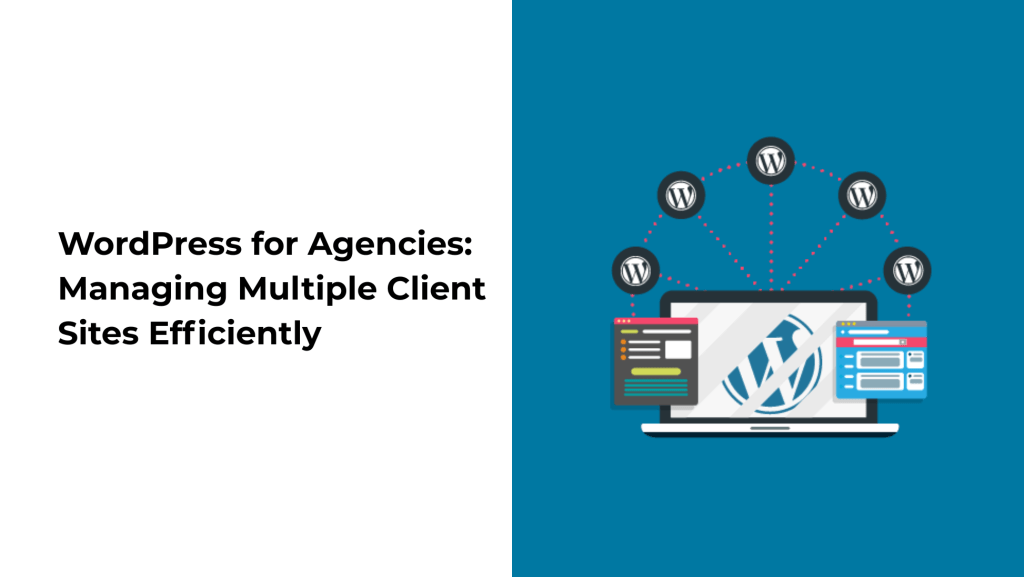
Managing multiple WordPress websites can be overwhelming for digital agencies, especially when juggling client requests, updates, performance checks, and security issues. Fortunately, with the right strategies, tools, and workflows, WordPress can become a powerful, scalable platform for agencies to manage multiple client websites with ease.
In this post, we’ll explore proven methods and tools that can help your agency streamline operations, reduce overhead, and deliver excellent results to every client.
Why Agencies Choose WordPress
WordPress powers over 43% of the web and continues to be a preferred CMS for agencies due to its:
-
Flexibility – Suitable for any type of website (eCommerce, portfolios, business sites, etc.)
-
Extensibility – Thousands of plugins and themes to tailor every project
-
User-Friendliness – Easy for clients to manage their content
-
Strong Community Support – Quick solutions and constant updates
But when managing 5, 10, or even 100+ client websites, operational efficiency becomes critical.
Top Challenges Agencies Face with Multiple WordPress Sites
-
Plugin/theme updates across sites
-
Security monitoring and malware protection
-
Performance optimization
-
User role and permission management
-
Client-specific customization
-
Backup and restore operations
-
Reporting and analytics delivery
Let’s see how to tackle these efficiently.
Best Practices to Manage Multiple WordPress Sites
1. Use a Centralized Management Dashboard
Tools like ManageWP, MainWP, or InfiniteWP allow you to manage multiple WordPress websites from a single dashboard. Key features include:
-
One-click updates for plugins and themes
-
Scheduled backups
-
Uptime monitoring
-
Performance checks
-
Security scans
👉 ManageWP is free for basic features and great for agencies starting out.
2. Standardize Your Stack
Use a standard set of plugins, themes, and development practices across all client projects. This reduces compatibility issues and shortens onboarding time for new team members.
Some essential plugins include:
-
Security: Wordfence, Sucuri
-
SEO: Rank Math, Yoast SEO
-
Caching: WP Rocket, W3 Total Cache
-
Backups: UpdraftPlus, BlogVault
3. Use Multisite (When It Makes Sense)
For agencies managing websites with similar structures (like franchise sites or regional sub-sites), WordPress Multisite is a great option. It lets you:
-
Manage all sites from a single WordPress install
-
Share themes and plugins
-
Centralize user management
⚠️ Multisite isn’t ideal for completely different clients with unique hosting or design needs.
4. Automate Backups and Security Scans
Automating these tasks prevents emergencies and data loss:
-
Schedule daily or weekly backups
-
Use services like VaultPress, BlogVault, or ManageWP
-
Enable real-time security scanning and email alerts
5. Implement Role-Based Access
Limit access to sensitive features using role management plugins like:
-
Members by MemberPress
-
User Role Editor
-
Advanced Access Manager
This ensures your team and clients only access what they need.
6. Use a Staging Environment
Before pushing updates live, use a staging site to:
-
Test plugin/theme updates
-
Preview design changes
-
Troubleshoot issues without affecting the live site
Most managed WordPress hosts (like Kinsta, SiteGround, or WP Engine) offer one-click staging environments.
7. Automate Reporting
Clients love transparency. Use automated reports to show:
-
Website uptime
-
Traffic stats (integrated with Google Analytics)
-
Security and update logs
-
SEO performance
Tools like Client Report by ManageWP, SEMRush, or AgencyAnalytics can handle this effortlessly.
Bonus: Maintain an Internal Knowledge Base
Document processes, checklists, and frequently asked client questions in a shared knowledge base. This improves team efficiency and ensures consistency across projects.
Conclusion
Managing multiple WordPress websites doesn’t have to be chaotic. With the right tools, workflows, and automation in place, agencies can:
-
Deliver faster results
-
Reduce manual work
-
Improve client satisfaction
-
Scale efficiently
WordPress, when managed strategically, becomes a true powerhouse for agencies serving diverse industries and needs.
Need help managing your clients’ WordPress sites? Our team at Nepweb Technology specializes in WordPress development, maintenance, and performance optimization. Contact us to learn more!